Blitzkrieg is a Windows overlay for Dofus. It reads what your character can already see and draws it back on screen: what a maging session is costing you, where a monster's spells can reach, which resources are worth farming tonight. If you have played League of Legends, it is the Porofessor or Blitz of Dofus.
Thirty seconds of the overlay. The on-screen text is in French.
Read-only. Always.
The Dofus community has been burned by enough fake tools that scepticism is the correct reflex. So here is exactly what this app does to your game, and what it will never do.
What it does
Reads the game data your own character already receives.
Draws that information back on your screen, and nothing else.
Copies text to your clipboard when you ask for it: a maging recap, the next /travel command.
Shares market prices and route data between users of the same server, so the numbers stay current.
What it never does
Sends an action to the game client or to Ankama servers.
Moves your character, clicks, fights, farms or trades for you. It is not a bot and will not become one.
Asks for your Ankama account, password or launcher credentials. It signs in with your Forgemage.net account.
Needs to run while you type your Ankama password. Start it later, before you pick your character.
Smithmagic
Elite plan
Know what a maging session actually cost
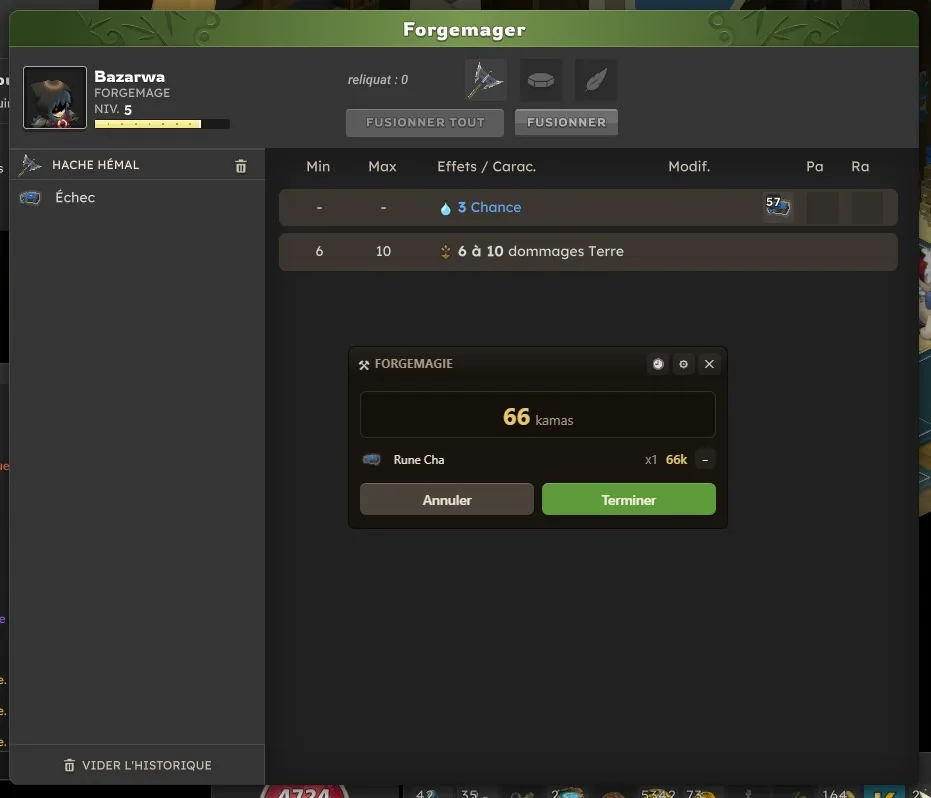
Apply a rune and the overlay wakes up on its own. Every rune after that adds to the running total on screen, at the live market price of the rune, so you can stop when the item stops being worth it.
Close the session and a recap is copied to your clipboard, ready to paste into a chat window or a text file. Useful when a client wants to know where their kamas went.
Not sure how runes and weights work yet? The guide covers smithmagic from the start: What is smithmagic?
Prefer to pay someone to do it? The marketplace lists smithmaguses by server: Smithmaguses's marketplace
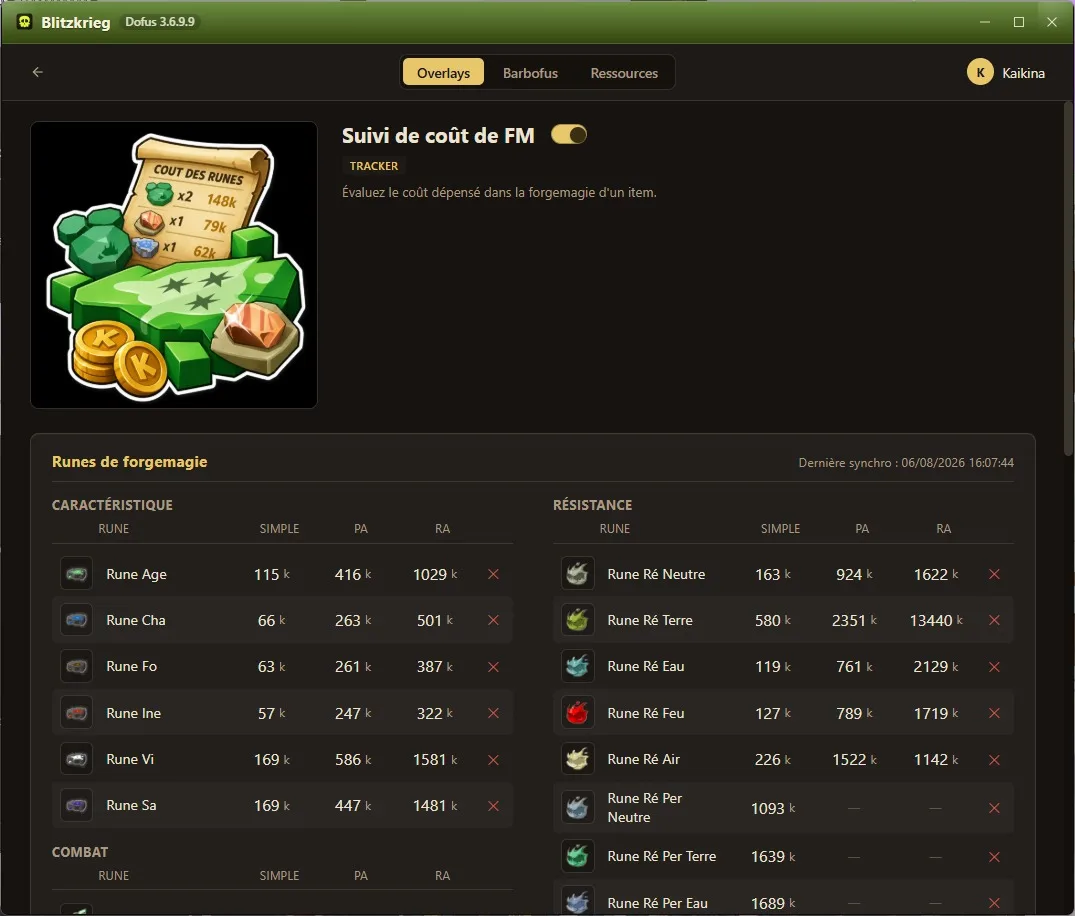
The running total, rune by runeLive rune prices, from your server
Gathering
Elite plan
Farm routes that follow you around the map
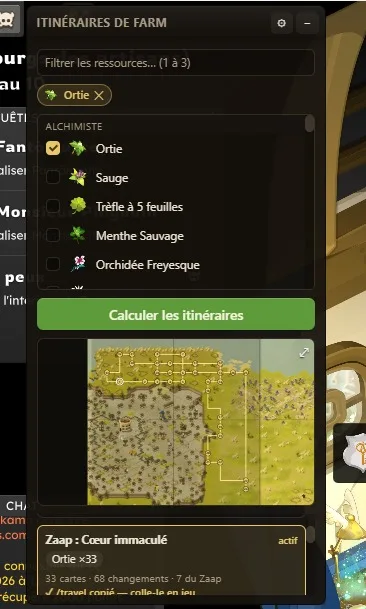
Pick up to three resources and the overlay computes a set of optimised collection routes, ordered by how much you gather per Zaap trip.
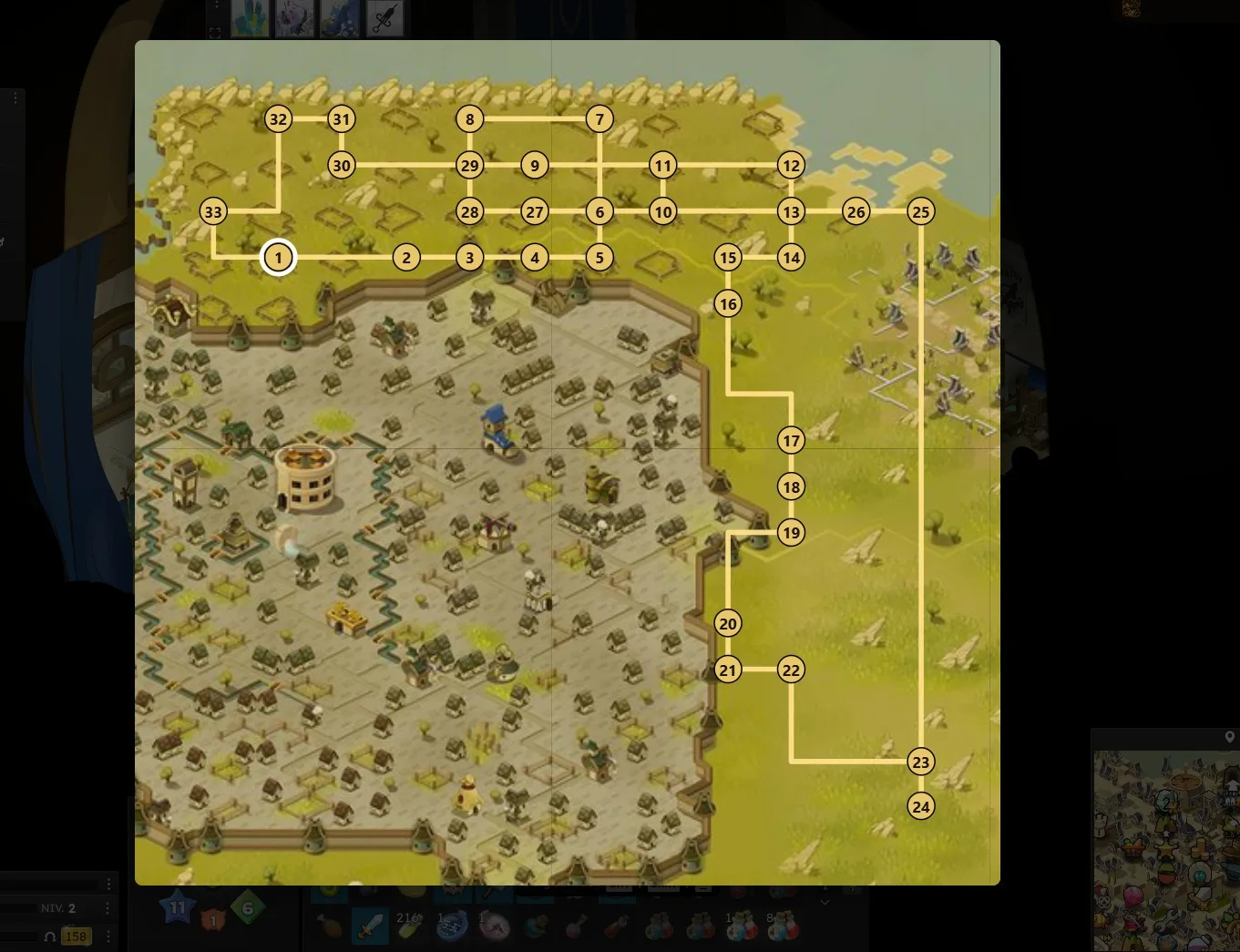
Open the route preview whenever you want to see where you are on it. When you reach a map on the route, the overlay notices and copies the next /travel command to your clipboard, so getting to the following waypoint is one paste in the chat.
Pick your resources, get a routeThe whole route, and where you are on it
Metamob
Free
Your archmonster collection ticks itself off
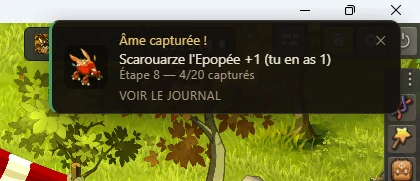
Metamob is where the community tracks archmonster souls and arranges the trades that complete a collection. Keeping it current means remembering, after every fight, to go and tick a box on a website. Link your Metamob account once and Blitzkrieg does it for you: capture a soul and by the time the fight closes, your collection is already up to date.
The notification names what you caught, how many of it you now hold and where that leaves the hunt step you are on — so a capture worth trading does not slip past you while you keep fighting.
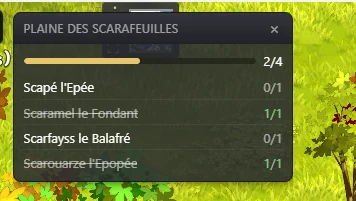
Where you are matters too: the zone panel lists every archmonster that spawns in the zone you are standing in, with the souls you already hold struck through and the zone total on top — so you know what is left to catch before you start fighting.
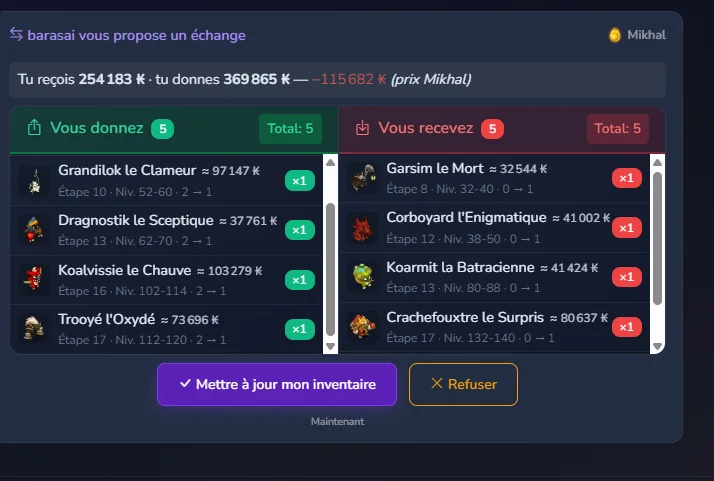
Trades come the other way. When someone proposes an exchange on Metamob it lands on your screen while you play, naming the player and how many souls each side gives.
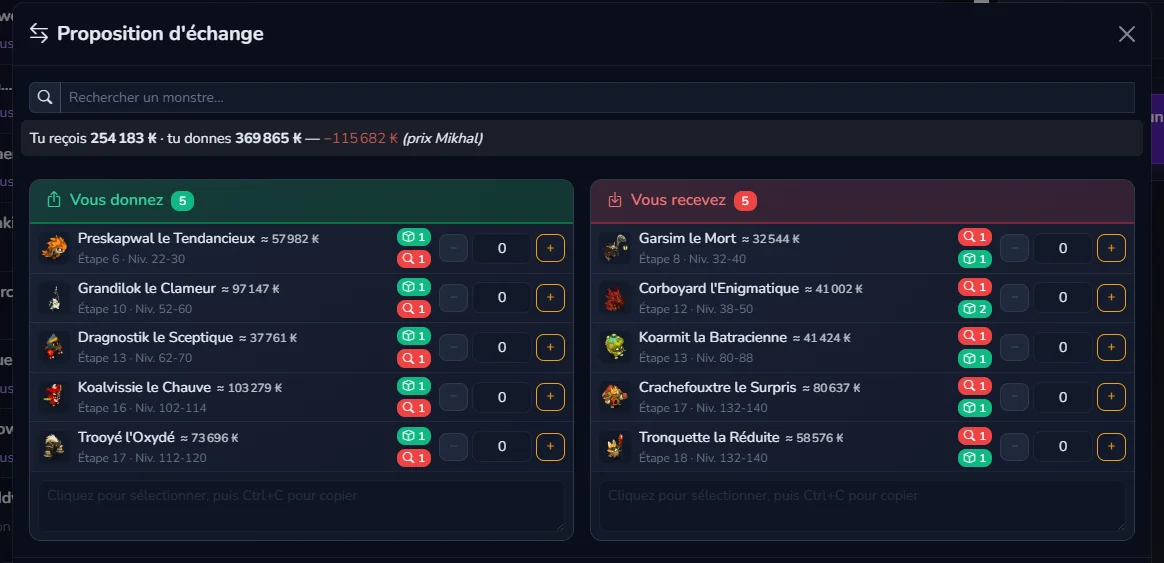
Open it and both sides are priced soul by soul, with the gap between what you give and what you receive — so a lopsided trade is obvious before you accept it. Accept and your Metamob inventory is updated for you, and you can put your own proposal together from the same panel.
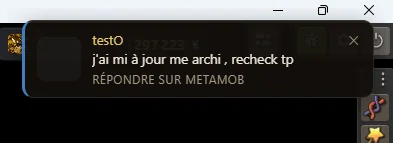
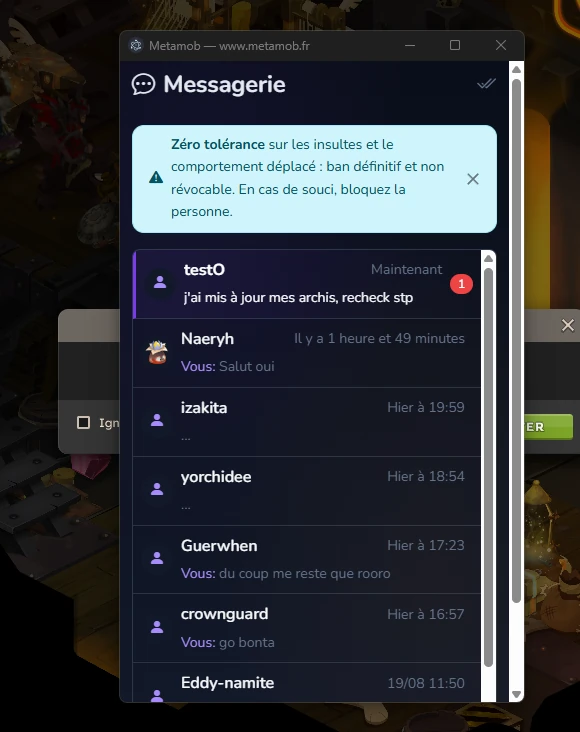
Metamob messages arrive the same way: a notification when someone writes to you, and the full Metamob messaging inside the app window, so you can answer without leaving the game.
The integration is free: you need a Metamob account and its API key, then you connect to Metamob from inside the app.
A soul captured, ticked off on its ownThe zone you are in, archmonster by archmonsterBoth sides priced, and the balanceBuild your own proposal, soul by soulA message, without leaving the gameThe Metamob messaging, inside the app
Challenges
FreePro planElite plan
Stop losing a challenge to a cell you miscounted
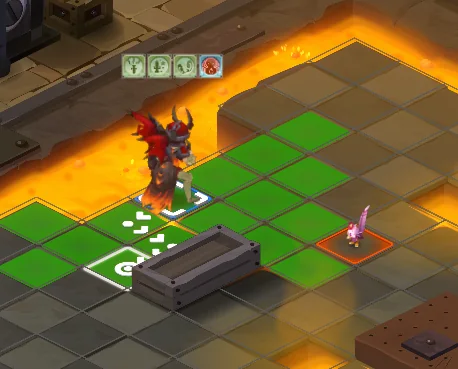
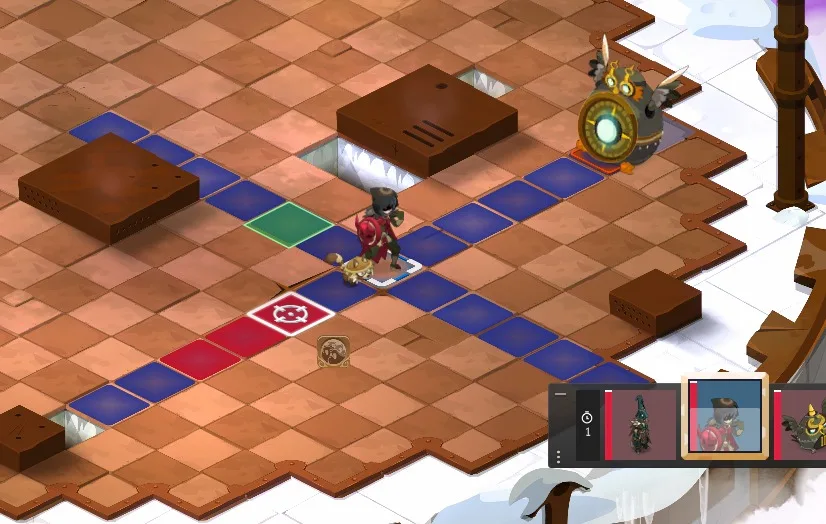
A challenge is usually lost by one cell: you end your turn a step too far out, or you forget which fighter the rule was about. Blitzkrieg reads the challenges the fight rolled and draws them straight onto the grid.
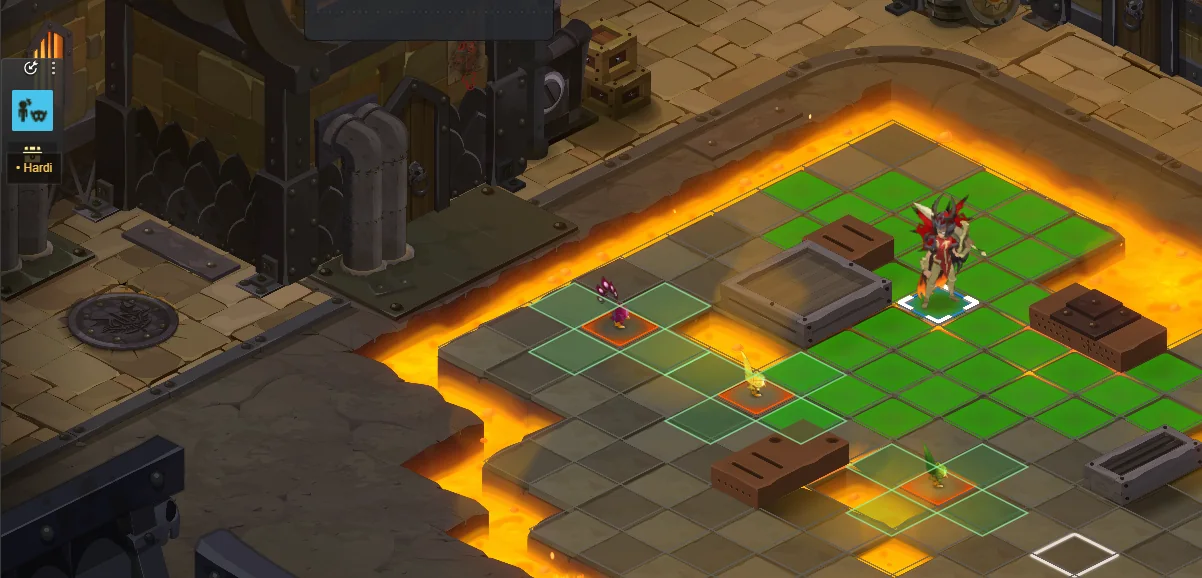
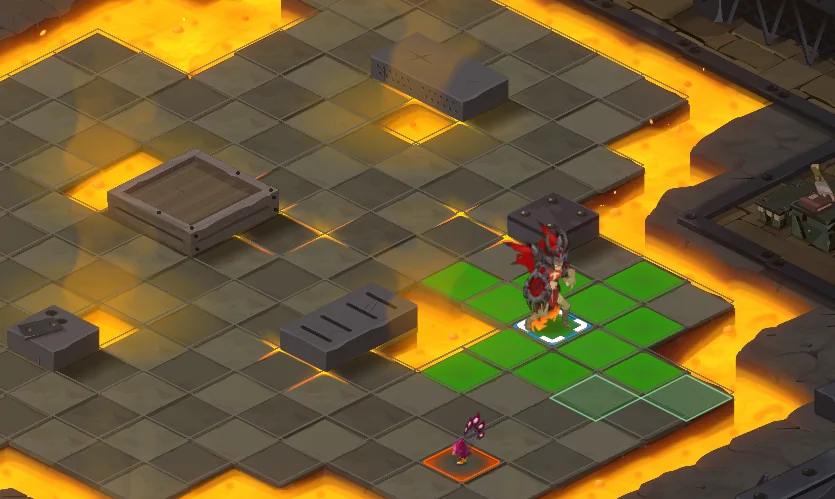
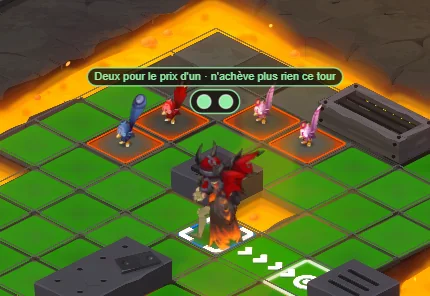
Cells that satisfy the challenge come up green. Fighters the challenge puts a condition on are outlined, and the one a marker refers to is picked out in white. "End your turn next to an enemy" becomes a patch of green you can walk to.
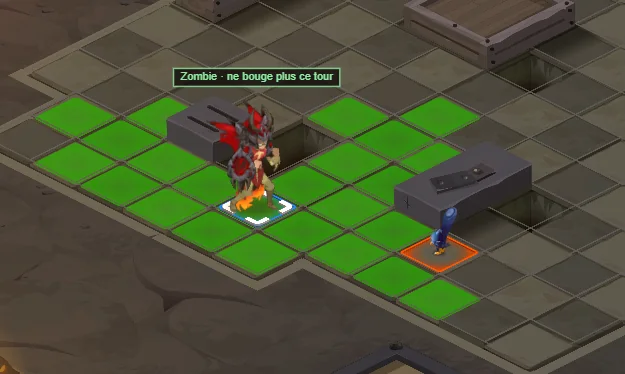
When a rule applies to one fighter right now, a label appears over its head: the name of the challenge, and what that fighter must not do for the rest of the turn. Usually that means killing nothing else, or not moving again.
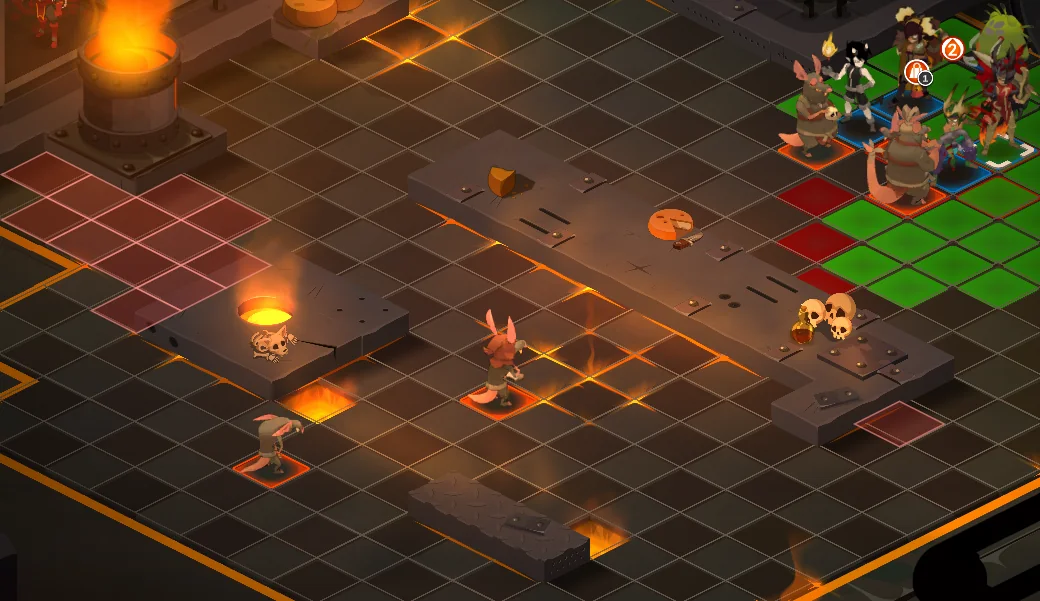
Fights usually roll more than one challenge, so they are drawn together, each with its own icon and name, and you can always tell which marker belongs to which rule.
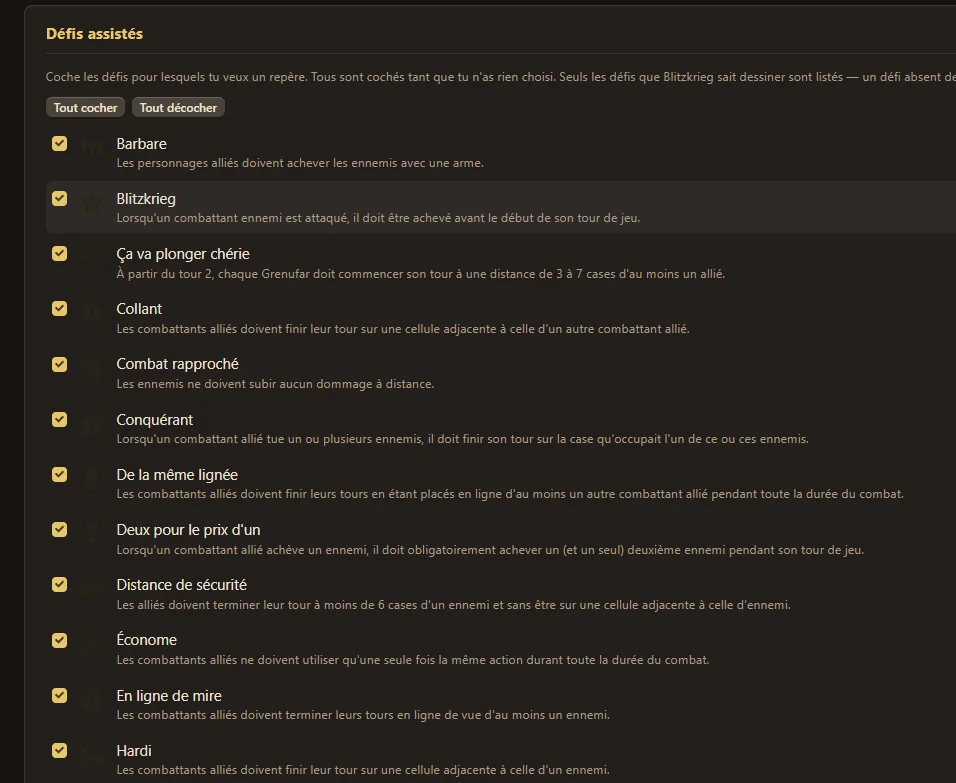
You decide what gets drawn. Tick only the challenges you want a marker for; leave the list alone and you get every one the overlay knows how to draw.
Simple challenges are drawn on the free plan; the trickier ones need Pro and the most involved ones Elite.
The cells that satisfy the challenge, in greenAnother challenge, a different set of cellsSeveral challenges at once, on the same gridThe rule, on the fighter it applies toAnd on the one that must not move againLegible in a crowded fight tooPick which challenges get a marker
Cooldowns
Elite plan
Know when a spell comes back, before it does
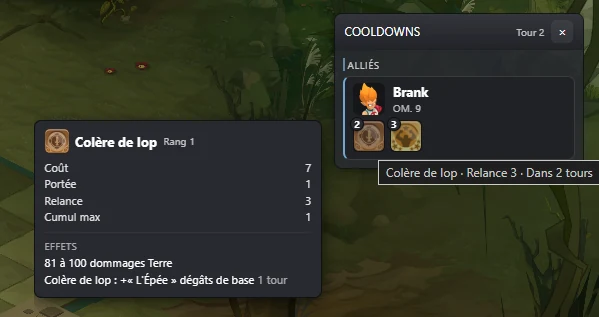
A spell goes on cooldown and the panel picks it up on its own: one line per fighter, allies on one side and enemies on the other, with every spell they cannot cast yet and the turns left before they can.
The counters follow the fight. Each turn that passes takes one off, and a spell drops out of the panel the moment it is available again — so what is left on screen is only what is still blocked.
Hover a spell for its name, its cooldown and how many turns until it comes back. Knowing the big area attack is two turns away is the difference between grouping up and losing half the team to it.
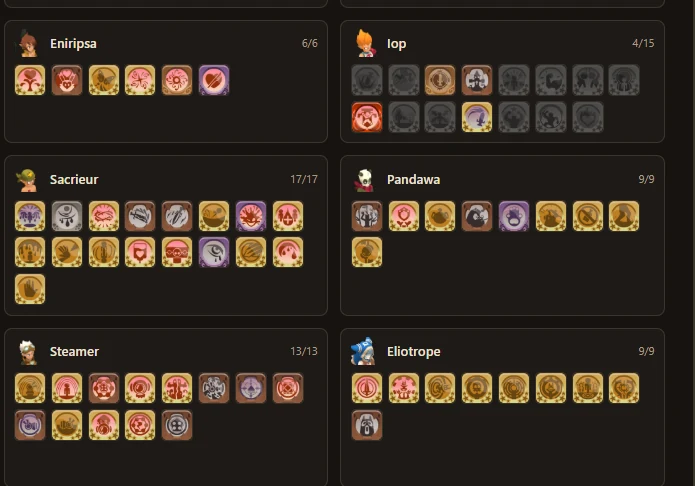
Nobody watches fifteen spells per class. The settings page lists every spell of every class with a toggle: keep the ones that change how you play — the heavy hits, the shields, the resurrections — and the rest stops taking up room in the panel.
Who cast what, and how long until it is backPick the spells worth watching, class by class
Breeding
Pro plan
Your paddock gauges, and what they will have given
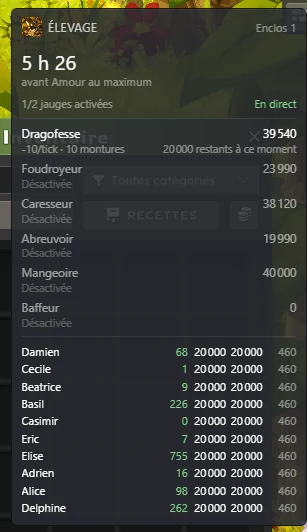
A breeding panel follows the paddock on your account: the six gauges, the points each one has left, and the mounts they are training.
It answers the question you actually ask before logging off — when will this be done?
"Endurance maxed in 4 h 58" when the gauge lasts long enough to finish the job.
"2 h 46 of gauge, worth +9,970 Love" when it runs dry before that, because that is what the fill is really worth.
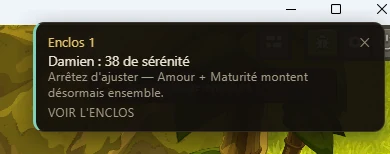
"Love + Maturity reachable in 20 min" when you are pushing a mount's serenity towards the window where two characteristics climb together — the moment to stop adjusting, before you overshoot.
And it warns you: at every gauge threshold crossed (90,000 / 70,000 / 40,000 / 0), when a characteristic reaches its maximum, and when a mount enters or leaves a serenity window.
Every gauge, what it has left, and what it will have givenA warning before you overshoot
What else is in the app
Some of these are overlays drawn over the game, others are pages inside the app window.
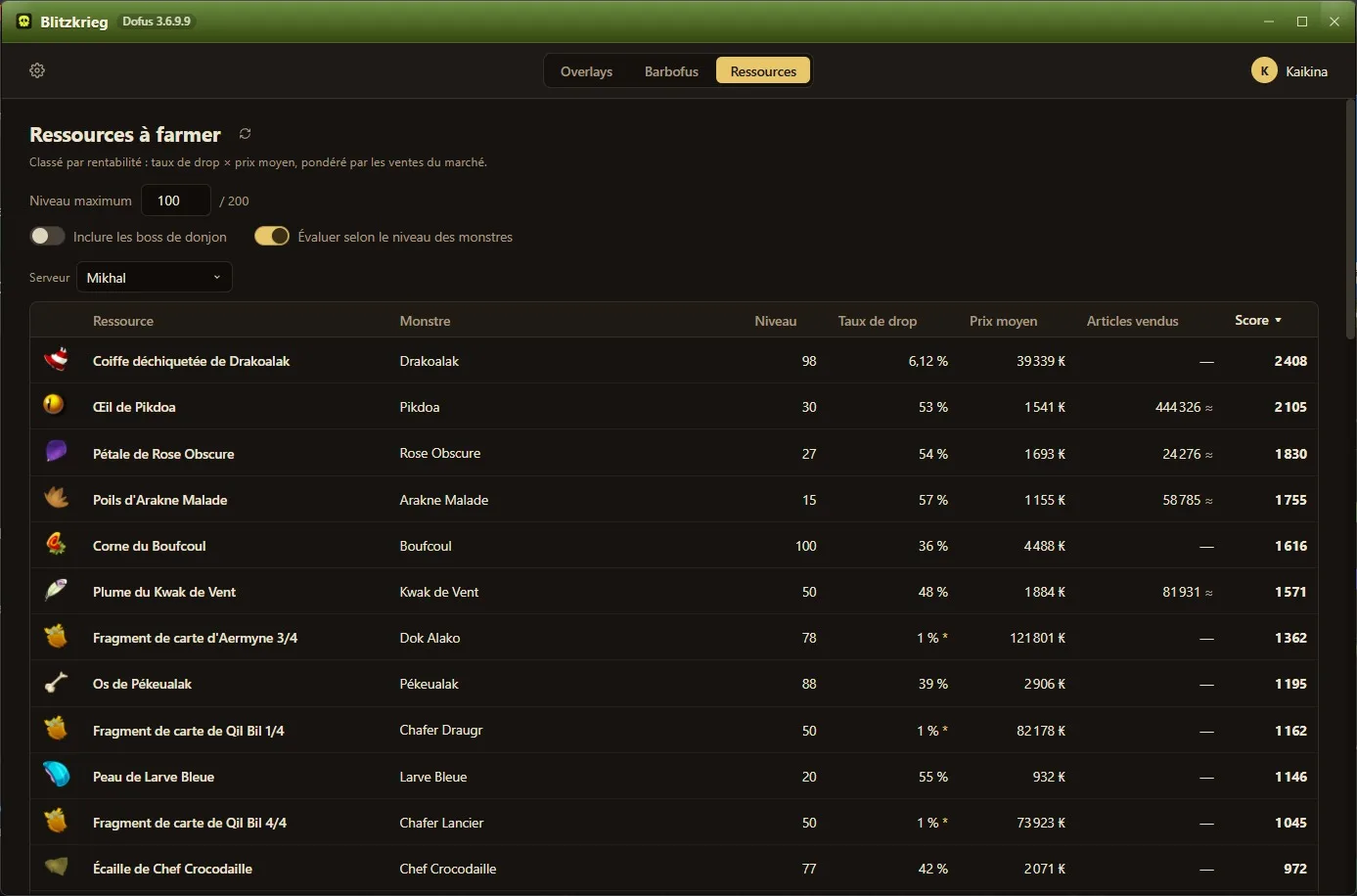
Which resources are worth farming tonight
Pro planElite unlocks an extra feature
A ranked list of drops for your character level, scored on drop rate, market price and how fast the fight goes. When a player checks a market curve, the price lands in a pool shared by everyone on that server, so the ranking gets sharper the more people use it.
Get pinged when an archmonster is on your map
FreePro adds a Discord channel with every sighting
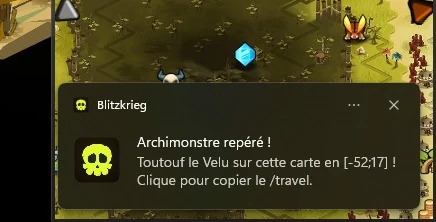
Walk onto a map where an archmonster is sitting and you get a sound plus a Windows notification naming the monster and its coordinates. Click the notification and the /travel command to that map lands in your clipboard, so you can auto-travel while doing something else instead of watching every screen.
Spot a wanted monster the moment you walk in
FreePro adds the in-game panel
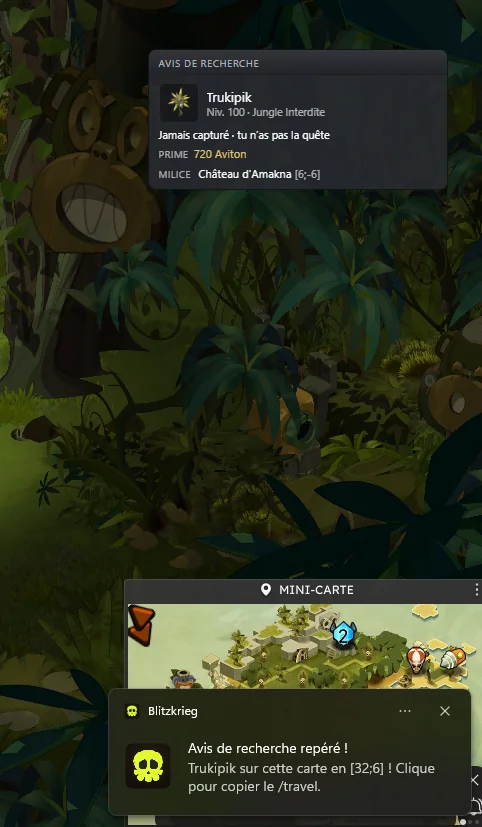
Step onto a map where a wanted monster is sitting and a Windows notification names it and its coordinates; click it and the /travel command to that map lands in your clipboard. With Pro, a panel stays on screen for as long as your character is on that map, the fight included: portrait, level, zone, the exact bounty the quest pays and the militia to bring it back to — one click on that copies the /travel. For 22 of the 82, a Mechanics button opens how the monster works.
See where every monster spell can reach
Pro plan
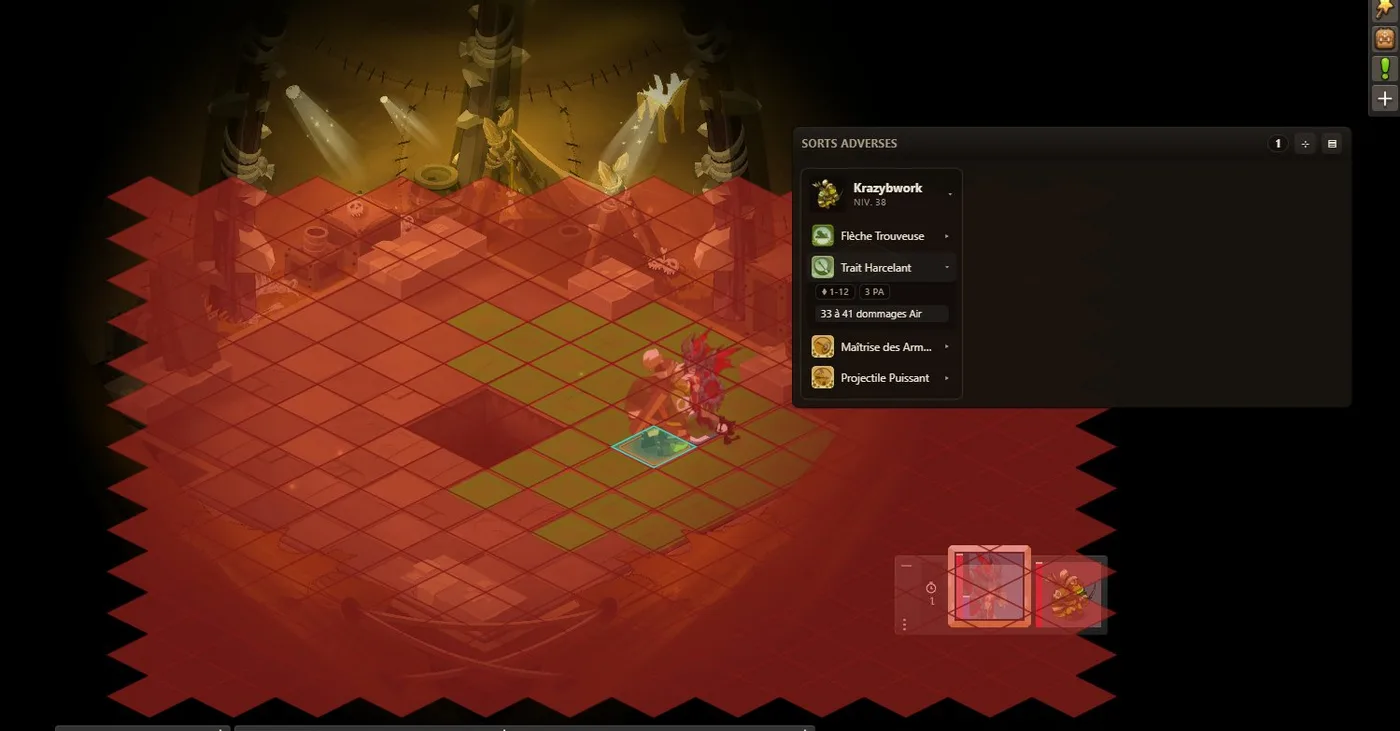
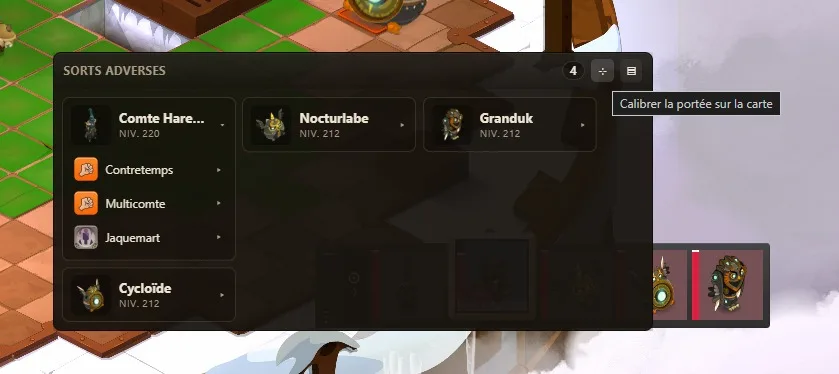
Pick a monster in the fight and its spell list opens: range, AP cost, and the damage it will actually deal, scaled to that monster level rather than the generic tooltip. Hover a spell and its reach lights up on the grid.
See where your own spells will land against Harebourg
Elite plan
In the Count Harebourg fight, where your spells land depends on your own health. The overlay draws the cells they will hit live as your HP percentage changes, so you can position before committing your turn instead of finding out afterwards.
See which cells have no line of sight
Elite plan
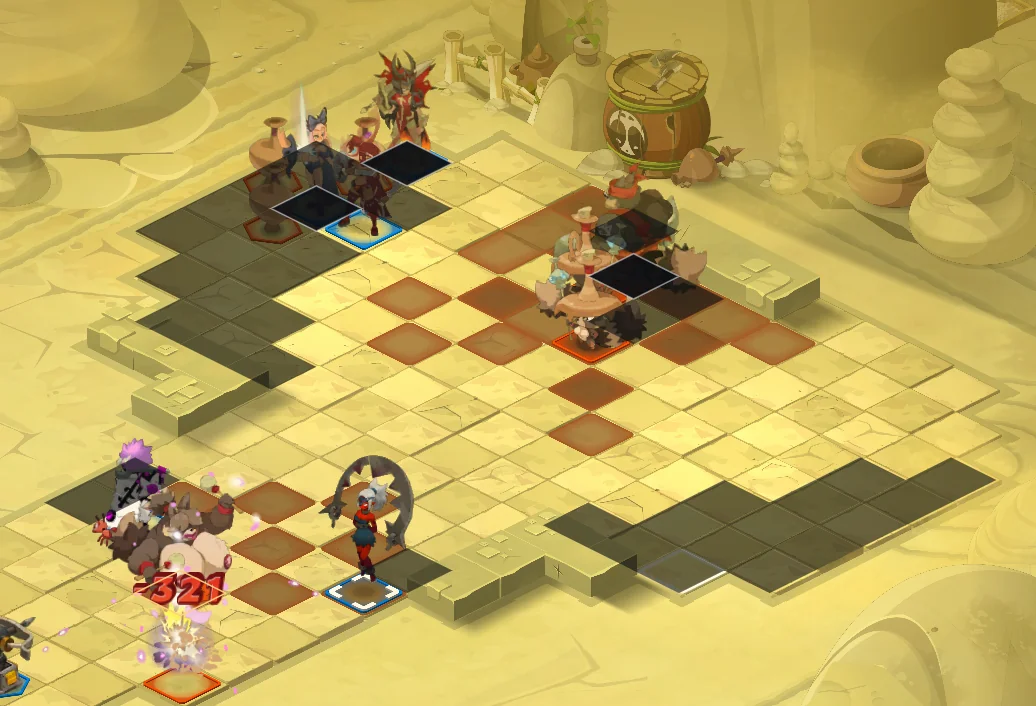
Arm the overlay during a fight with a shortcut — Alt+L by default, changeable in the settings — then hover the grid: every cell with no line of sight from the one under your cursor goes dark. Press it again to disarm, and the end of the fight disarms it too. Lock a cell with Alt+K and the shadow freezes on it, so your cursor is free again.
Read your shortcut keys off the bar itself
Free
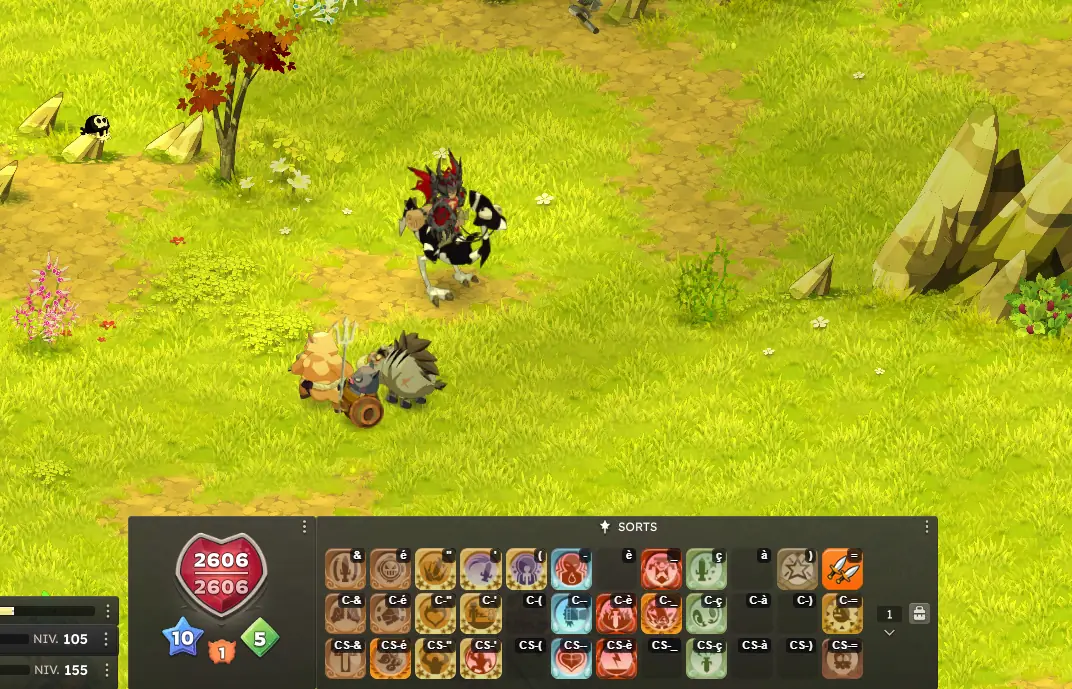
Every slot of your spell and item bars gets the key that fires it drawn on top: & and é for the bare keys, C-& for Ctrl+&, CS-& for Ctrl+Shift+&, A-1 for Alt+1, M4 for a mouse button. No more hunting for the row you rebound six months ago.
Spend your Guildatons on the resource that pays most
Pro planElite adds a box that keeps only what your jobs can craft
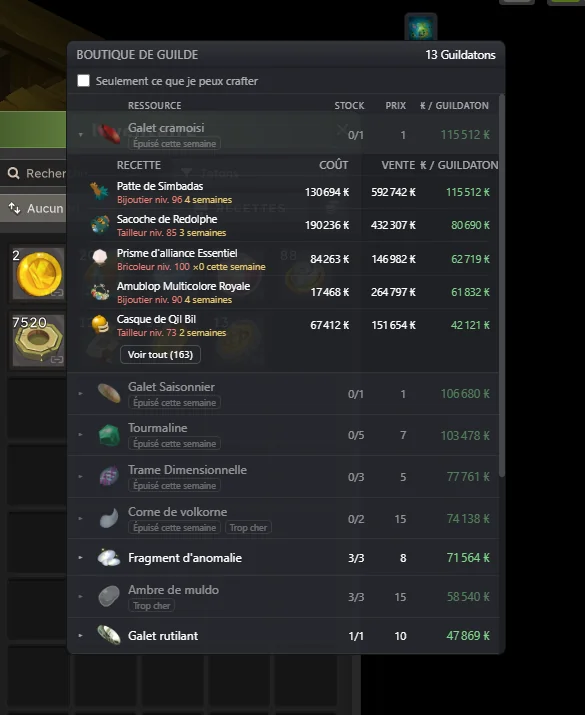
Open the guild shop and the overlay appears; close it and it is gone. It ranks the resources on sale by the kamas one Guildaton brings back once the resource is crafted, and clicking one unfolds the recipes that use it, best first. It follows your week: your Guildaton balance and the stock you have left on each resource, updated at every purchase. A resource that is sold out or priced too high stays in the ranking, greyed out, and a recipe that needs more than one week of stock says so — "2 weeks".
Level a profession the cheapest way there is
Pro plan
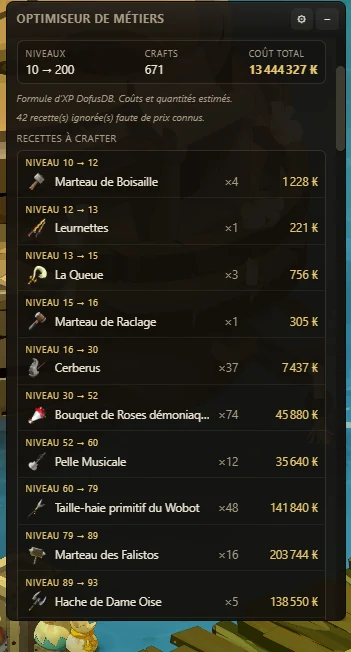
The overlay reads your profession levels on its own. Pick a job and the level you want to reach, and it works out the cheapest path there: the recipes to craft in order, the quantities, the resources behind each one and what the whole run costs. Unlike the usual job packs, it prices everything on your server averages, so the recipes it picks are the best XP per kama at that moment, not a list written once and never updated.
Level a pet without overpaying for croquettes
Pro plan
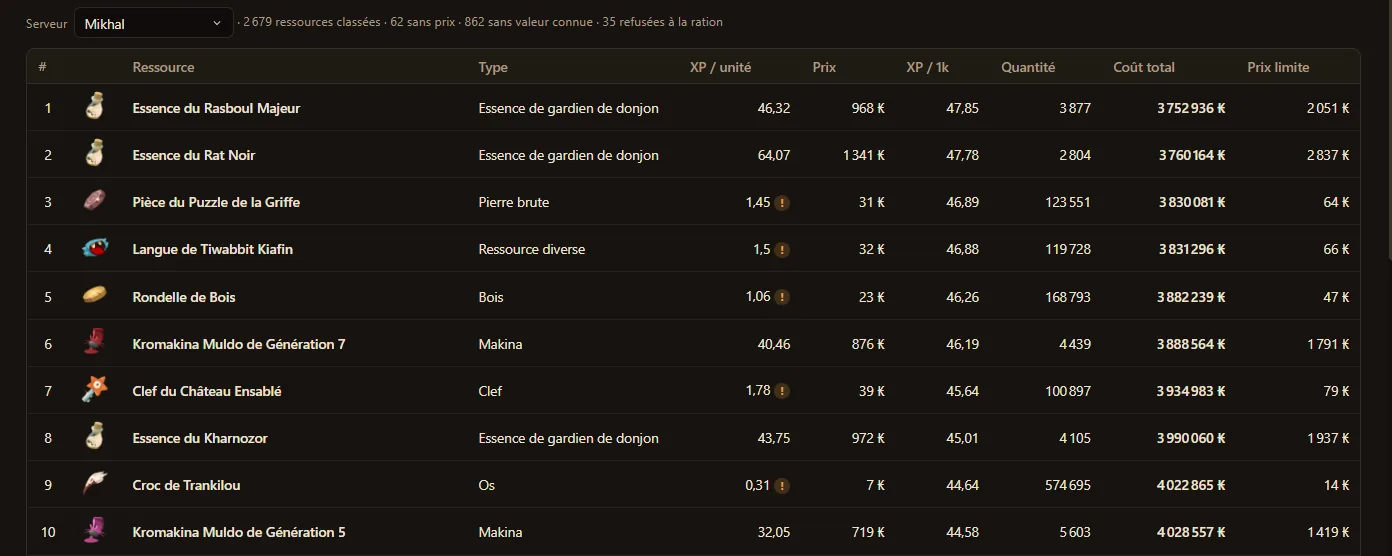
Pick your pet and the level you want it to reach. Every resource on your server is ranked by the XP it buys per kama, with the quantity to feed, what the whole run costs, and the price limit above which croquettes become the cheaper option. It prices everything on your server averages, so the ranking follows the market instead of a table written once.
Fill a paddock gauge for the fewest kamas
Pro plan
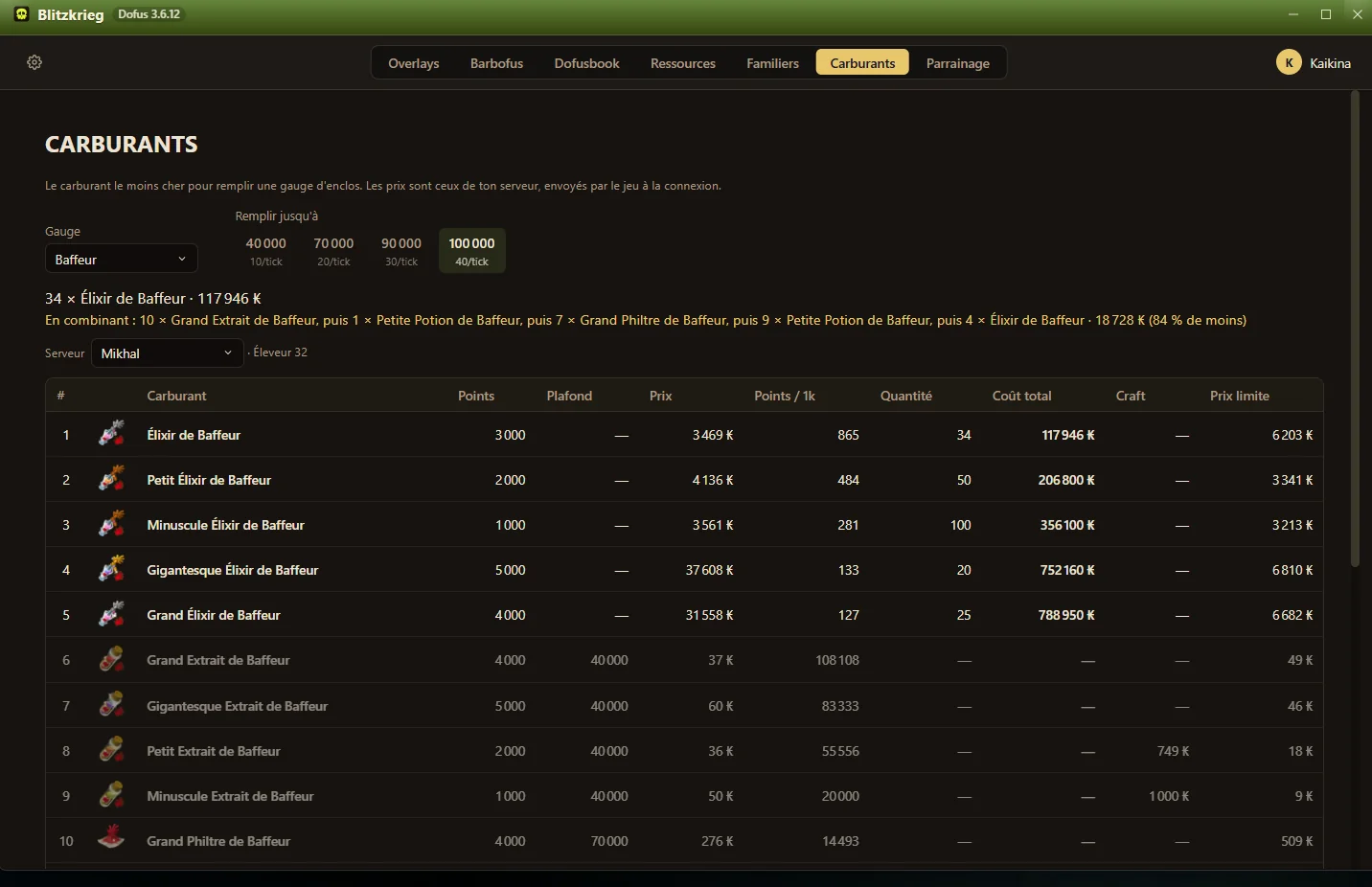
A Fuels tab. Pick a gauge — Mangeoire, Foudroyeur, Abreuvoir — say where it stands and how far you want to fill it, and the twenty fuels that feed it come back ranked by points bought per thousand kamas, at your server prices, counting only what is left to fill. When mixing several of them beats the best single one, the combination is spelled out in order with what it saves.
Price a full Dofusbook build on your server
Free
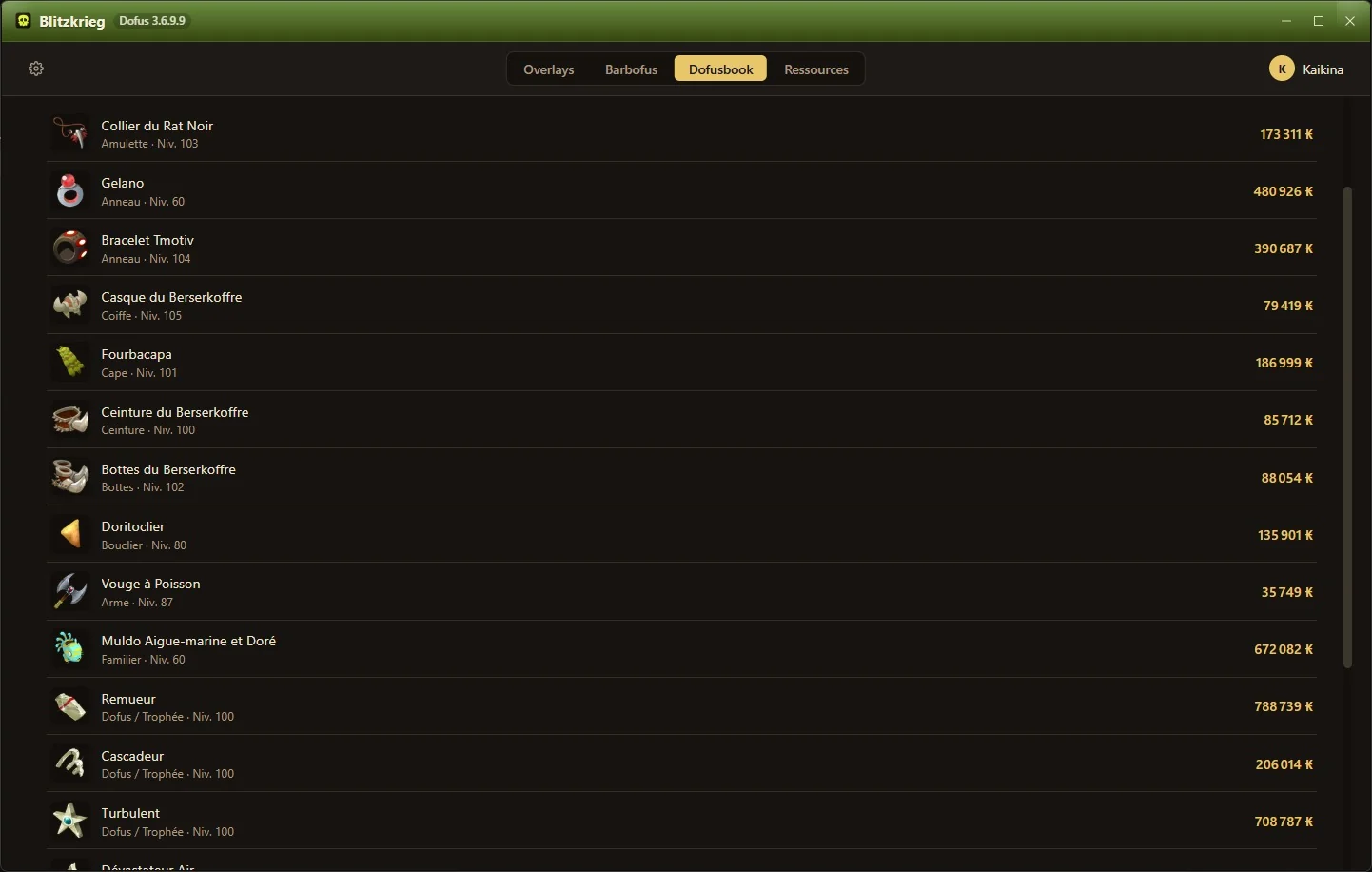
The app has a Dofusbook page: paste a build link and every item comes back priced on your server, one line per piece, so you know what the set costs before you start hunting for it.
Price a Barbofus skin before you chase it
Free
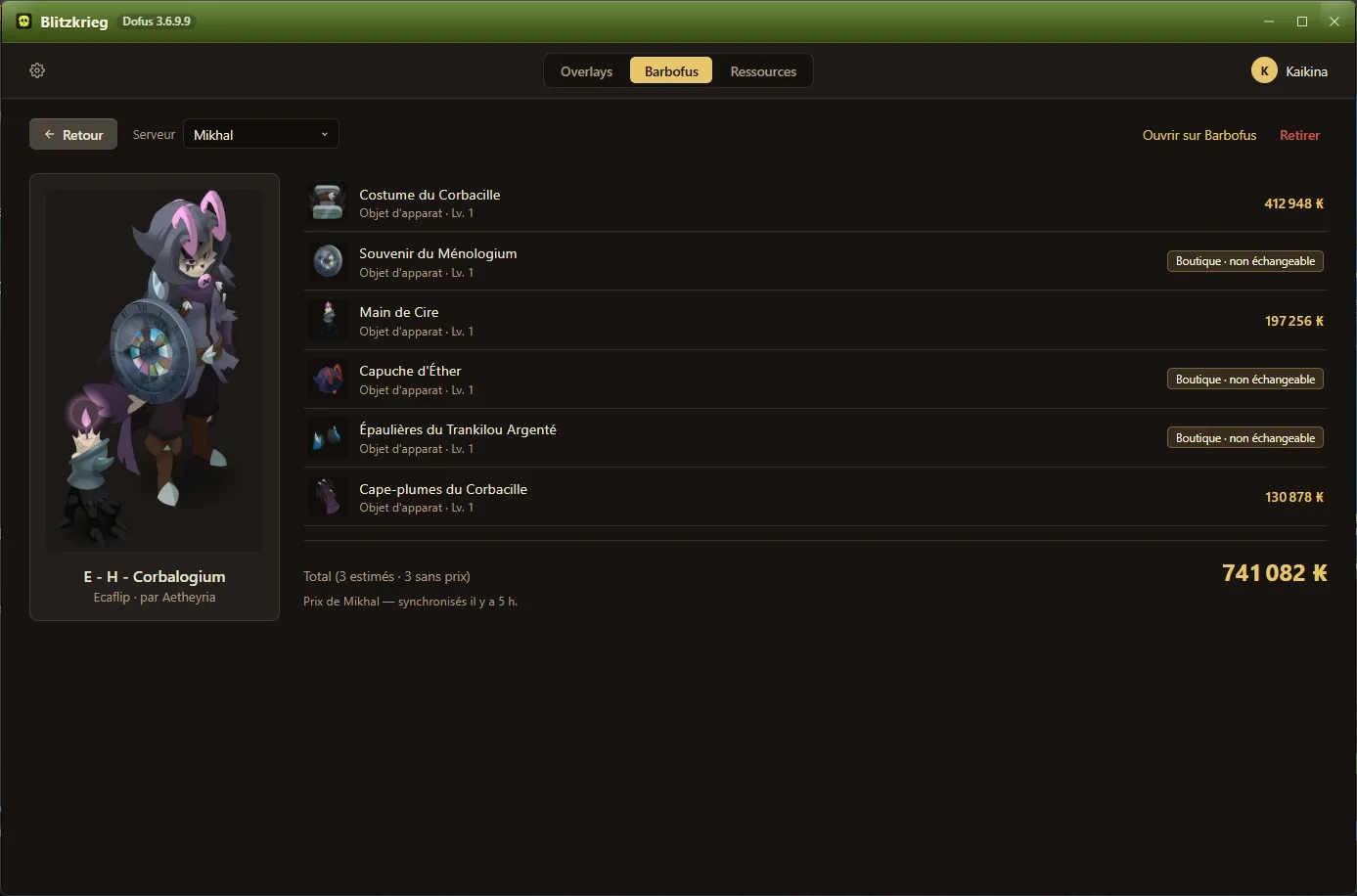
Paste a Barbofus skin link and get the cosmetic broken down piece by piece, priced on the servers you have logged into. Shop-only items that cannot be traded are marked as such instead of being quietly left out of the total.
Count what taxes are quietly costing you
Free
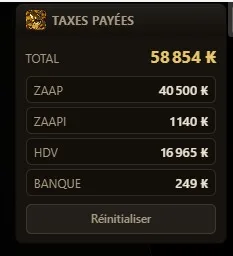
Every tax you pay while you play gets logged and split by source: Zaaps, Zaapis, the marketplace, the bank. Most players are surprised by the Zaap line.
Benchmark a zone in XP and kamas per hour
FreePro adds the site-wide ranking of every zone
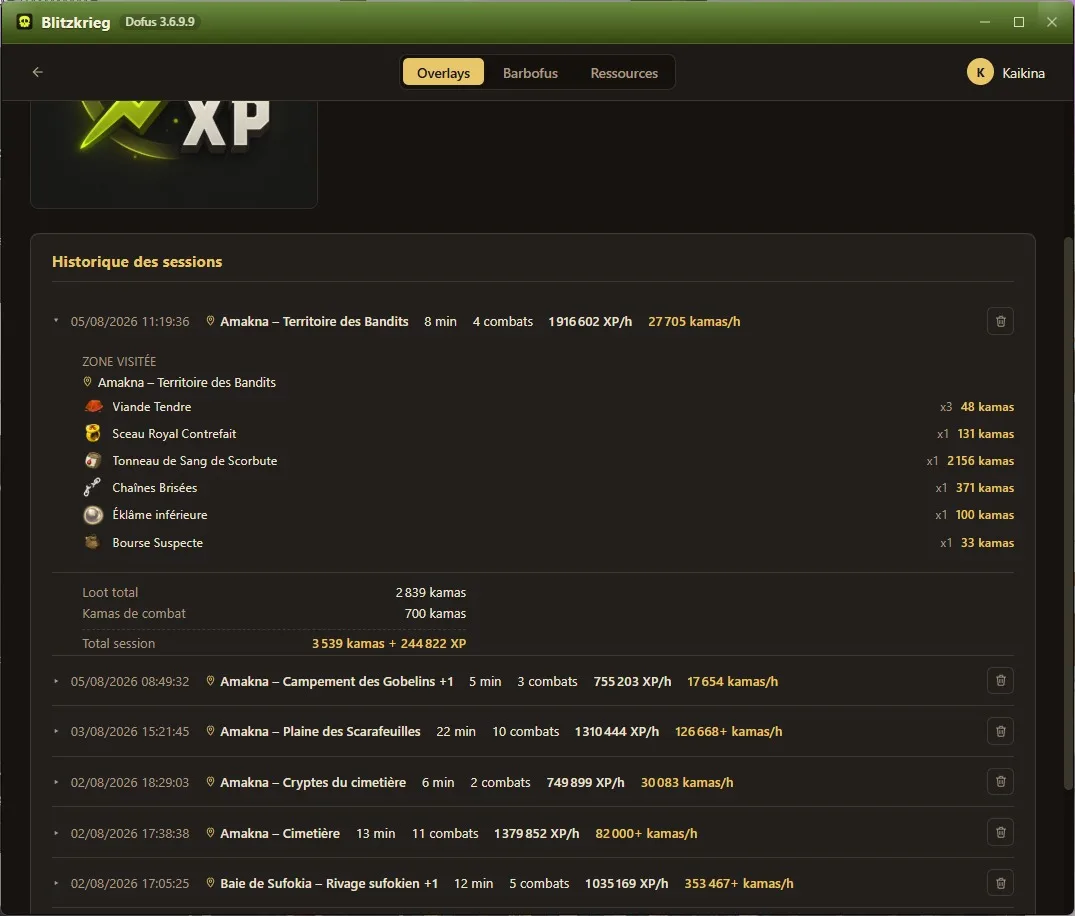
Start a benchmark when you settle into a zone and stop it when you leave. You get XP per hour, kamas per hour and the full loot breakdown, kept on your own machine and re-openable from the benchmark card.
Every card says which plan unlocks it: free, Pro or Elite. What each plan changes is documented here: Transparency
Screenshots come from the French game client.
How do I install Blitzkrieg?
Four steps, one of which involves Windows being suspicious of us. That part is expected, and the reason is boring.
Download the latest version
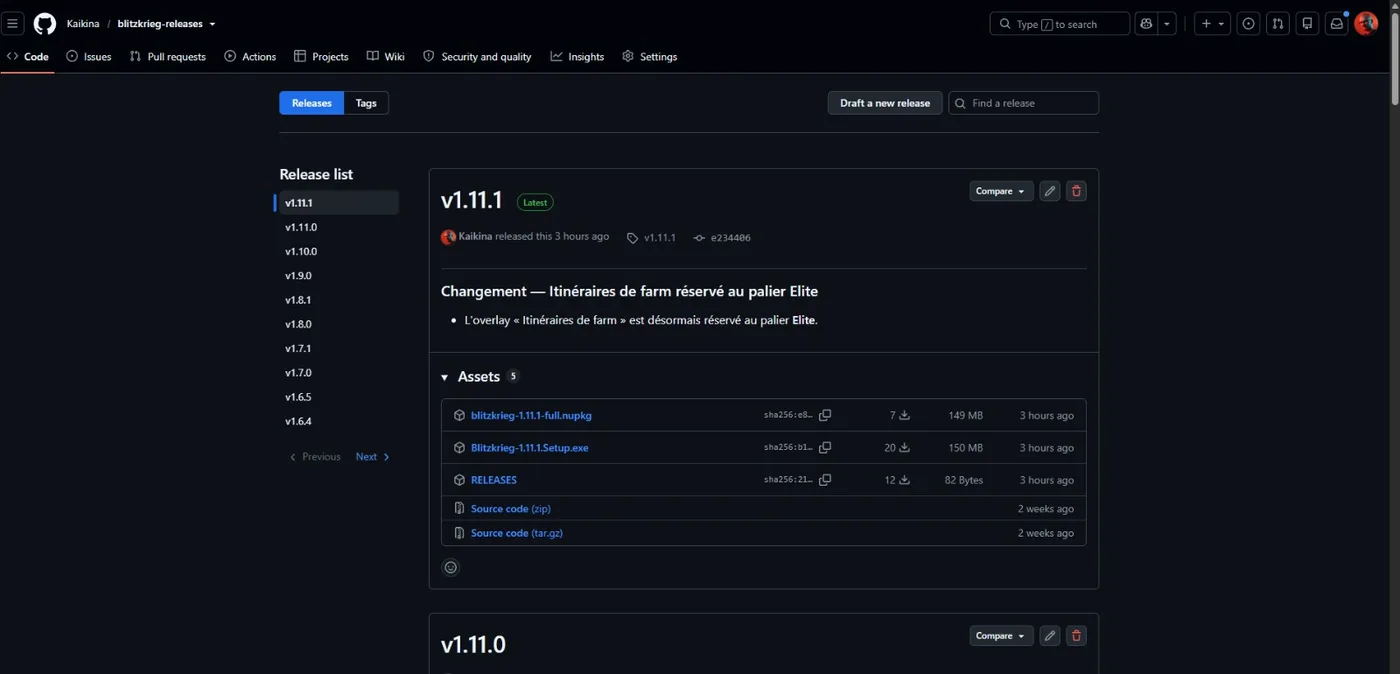
Releases live on GitHub, publicly, with a SHA-256 checksum next to every file. Take the newest Setup.exe.
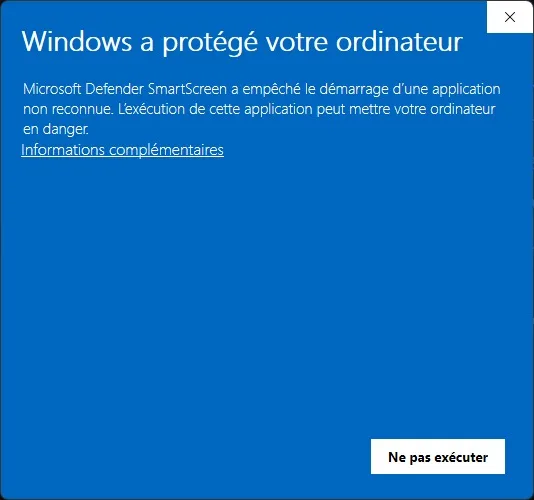
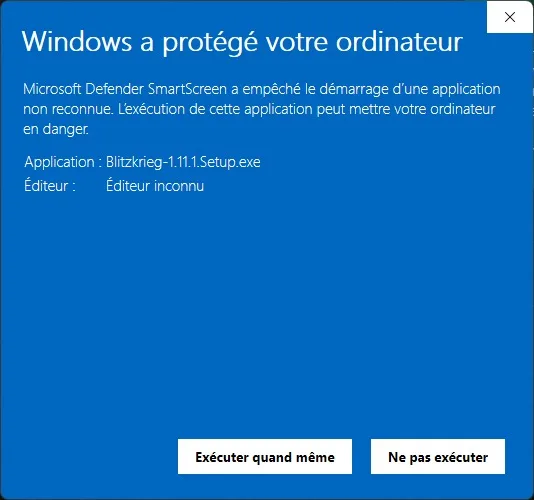
Windows will warn you that the publisher is unknown, because Blitzkrieg has no code-signing certificate. Click "More info", then "Run anyway". Your antivirus or firewall may ask the same question, for the same reason.
Sign in with your Forgemage.net account
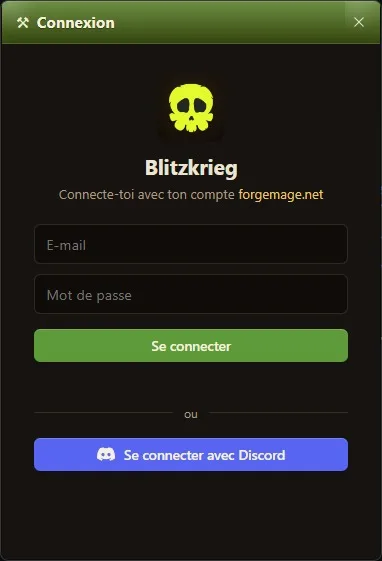
Blitzkrieg uses your existing Forgemage.net login, by email or through Discord. It never asks for your Ankama credentials, and it does not need to be running while you sign into the Ankama launcher. Start it before you pick your character.
Check that it is actually reading
Open the smithmagic cost card. If the rune prices are listed, the overlay is connected and working. An empty list means it is not reading yet.
Troubleshooting
The problems that come up most often, and what to do about them.
My overlays are not working or not showing
Blitzkrieg has to be running before you pick your character, because it starts reading when the character connects. If you enable a new overlay while you are already logged in, reconnect your character for it to pick up — even if your other overlays were working during that same session.
A monster spell range is not showing on the grid
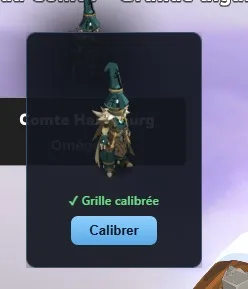
The overlay needs to know where the combat grid sits on your screen. Click the crosshair button, then click the centre of your character cell and the centre of any monster cell. Once is enough: the opposing-spell and Harebourg overlays share the same calibration, so calibrating either one covers both.
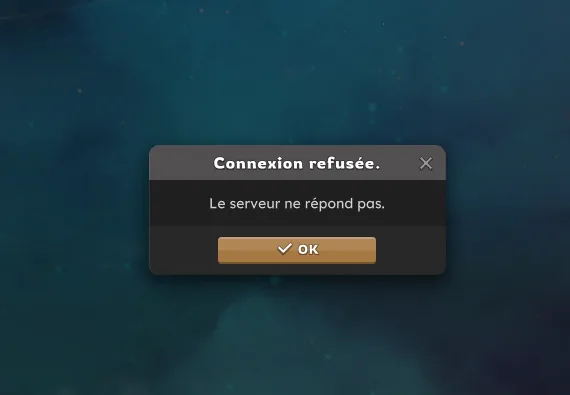
Dofus says "Le serveur ne répond pas" and refuses to connect
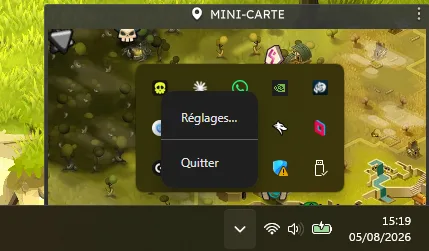
Blitzkrieg writes entries to your hosts file while it runs, and removes them when you quit properly. If it was closed abruptly, the entries stay behind and the game cannot reach the server. Two ways out: start the overlay and quit it cleanly from the hidden-icons tray menu, or clear the leftover lines from C:\Windows\System32\drivers\etc\hosts yourself.
How do I update the overlay?
The overlay checks for a new version every hour. When one is out it downloads in the background, then a banner appears in the app offering to restart it. Otherwise every launch downloads and installs whatever update is waiting, so starting the app is always enough.
Still stuck? The Discord in the footer is the fastest way to reach us.
Questions people actually ask
Is Blitzkrieg free?
Partly. The basic features are free, the mid-tier ones need a Pro subscription and the advanced ones need Elite. You always need a Forgemage.net account, and creating one is free.
Do I need a Metamob account for the sync?
Yes. A Metamob account and its API key, then you connect to Metamob from inside Blitzkrieg. The integration itself is free: no subscription is needed for it.
Can Ankama detect it? Can I get banned?
Blitzkrieg only reads. It sends nothing to the game client and nothing to Ankama servers, so there is no action for an anti-cheat to catch. The honest nuance: decoding network packets is not permitted by Ankama terms of use, however fair the use, so we cannot promise zero risk. We consider it low, and it is your call.
Is it a bot or a cheat?
No, and it never will be. Blitzkrieg does not move your character, does not click, does not fight and does not trade. It shows you information your character can already see, laid out better. Think of the League of Legends overlays: Porofessor, Blitz, Mobalytics. Same idea, for Dofus.
Why does Windows say the publisher is unknown?
A code-signing certificate costs several hundred euros a year, which a free community app does not carry. Without one, Windows SmartScreen flags every unrecognised installer the same way, including well-known Dofus tools such as Ganymède. An antivirus may also score the app for touching the hosts file.
Why does it need to write to my hosts file?
That is how the overlay reads the game data stream locally on your machine. Nothing is redirected off your computer. The entries are removed when you quit the app properly, and you can inspect the file yourself at C:\Windows\System32\drivers\etc\hosts.
Does it work on Mac or Linux?
No. Blitzkrieg is a Windows application.
What players say about Blitzkrieg
Reviews left inside the app by people running it every day.
4,6/57 reviews
Banger, juste le fonctionnement qui demande whitelist antivirus embêtant, mais marche niquel !
Magnifique, c'est comme voir Mona Lisa se faire peindre